Notes and lists for ADHD brains
Pilcrow
Lists, notes, images and links all go into Pilcrow as snippets. Move them around, resize them, tag them, chain them together and sort them into piles. Set it up however makes sense to you today, and change it tomorrow if it stops making sense.
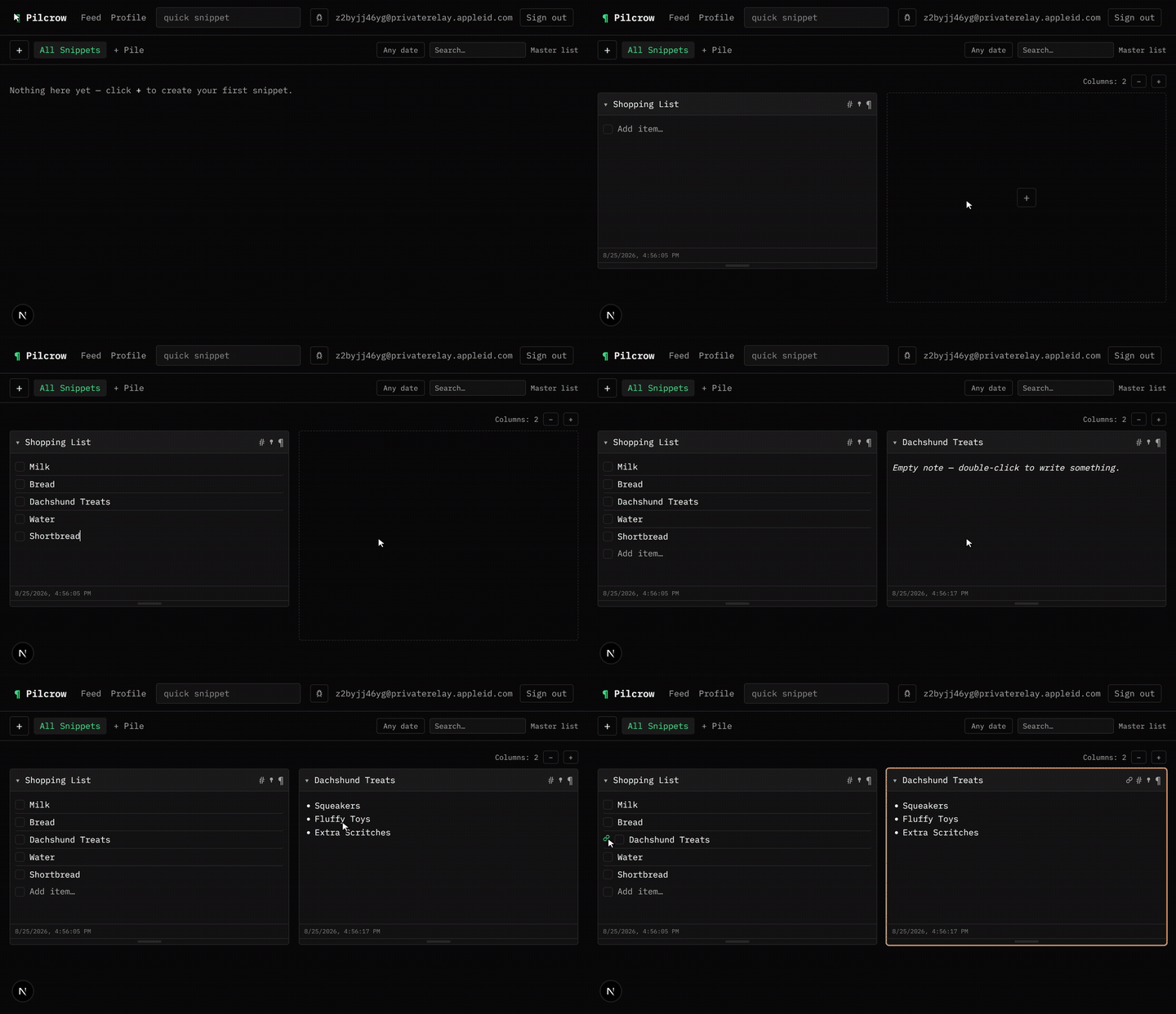
Snippets
In Pilcrow a list, a note, an image and a link are all the same kind of thing: a snippet. Get it written down first and decide where it belongs later. Once it's there you can resize it, tag it, chain it to something else or drop it in a pile.
The feed
Your snippets sit in columns that you arrange by hand. Drag things to where you want them, make the columns wider or narrower, collapse whatever you don't need to look at right now, and pin the important stuff to the top.
Laundry piles
A laundry pile is your own view of a group of snippets. Putting a snippet in a pile doesn't take it out of the main feed, and the same snippet can be in several piles, laid out differently in each.
Chains and tags
Chain related snippets to a parent and they sit indented underneath it and move when it moves. Give your tags their own colors, and filter the feed by tag or by date with one click.
Pilcrow for Mac
The Mac app is out now and free to download. It uses the same account as the web app, so everything you've written is already there when you sign in. On the Mac you also get a widget that keeps a snippet in view, a Share menu that sends links, text and images to any pile, and Siri and Shortcuts actions for adding notes, saving links and ticking items off a list.
Needs macOS 27 or later and a Mac with an M1 chip or later.
Get it on the Mac App StoreiPhone, iPad and iPhone Duo soon
The iOS app is coming soon, for iPhone, iPad and iPhone Duo. On an iPhone Duo you get the iPad layout when it's unfolded and the phone layout when it's folded. It signs in to the same account too, so when it arrives your snippets will be waiting for you.
Your notes are encrypted
Every snippet is encrypted at rest with AES-256-GCM, using a key derived for your account alone. Someone who got hold of the database or a backup would find nothing they could read. Your snippets are only decrypted when you're signed in and looking at your own feed.
- AES-256-GCMAuthenticated encryption on every snippet
- A key per accountEach account's key is derived separately
- Backups includedA copied database dump or backup can't be read either
You can take it all with you
Your profile page lets you download everything you've written in Pilcrow, every snippet of every type, as a single XML file. You can do it as often as you like.
- Whenever you wantNo request to file and nothing to wait for
- All of itEvery snippet, tag and chain in your account
- Plain XMLYou can open it in any text editor
Most of Pilcrow is free
Snippets, the feed, chains, tags and piles are all on the free tier. Pro lifts the free tier's limits and adds extras like light-up dates, shared piles, webhooks, the MCP server and PDF export.